
A compliant product can still create an interface failure
A pump, switchboard or air-handling unit can satisfy its own purchase description while remaining incompatible with the space, connections or operating sequence around it. Construction teams encounter this problem when discipline packages are reviewed independently and their boundaries remain implicit. The equipment is technically described, yet the building cannot receive, connect, maintain or commission it without additional work.
The global pressure to shorten delivery periods can bring purchasing ahead of complete coordination. Early commitment may be justified, but the unresolved interfaces need an explicit decision and a controlled basis. A supplier's dimensional drawing is an input to coordination. It does not by itself establish that the surrounding structure, services and maintenance access have been accepted.
Create an interface list before comparing equipment
For each consequential item, list the interfaces that determine whether the purchase will work: physical dimensions, supports, connection positions, electrical characteristics, controls, drainage, delivery access and maintenance clearances. The list must reflect the actual package and responsible design process. Assign an owner and source reference to each item. Avoid a generic checklist that everyone signs while critical project-specific connections remain absent.
Separate an accepted interface from a provisional assumption. If the foundation detail depends on a vendor drawing not yet received, retain that dependency visibly. A provisional dimension copied into several drawings can acquire false authority through repetition. Stable references and explicit status help reviewers distinguish information issued for coordination from information approved for construction.
Coordinate the route, not only the final position
The installed footprint is only one spatial requirement. Equipment must travel from unloading point to final position through openings, corners, lifting zones and temporary works. Future replacement may require a different route once the building is complete. Packaging and lifting arrangements can alter the dimensions relevant to delivery.
Bring the logistics and operations teams into the review early enough to influence the decision. Where access relies on a temporary opening or sequence, identify when it must remain available and who controls its closure. Do not assume that an equipment supplier's delivery obligation includes every on-site movement. Confirm commercial boundaries and competent lifting and handling arrangements separately.
A worked example: the apparently equivalent pump
Consider two illustrative pump offers meeting a stated performance requirement. One uses a different connection orientation and motor arrangement. Its quoted price is lower, but the change affects pipe supports, cable routing and the clear space needed to remove the motor. A fair comparison includes the accepted consequences of those differences, not just the equipment line price.
Prepare an interface comparison and ask the authorized disciplines to resolve each difference. If the cost or schedule effect is unknown, show it as unresolved rather than assigning zero. No figure in this example represents a live supplier offer. The purpose is to demonstrate why equivalence must be assessed across the installed system and its operation, with the required technical approvals.
Control changes after the purchase decision
Freeze the accepted vendor document set at the order release point and record the revision references. Define how later vendor changes will be reviewed. A seemingly minor movement of a connection can invalidate a coordinated builder's-work opening or fabrication drawing. The team needs to know which downstream records must be reconsidered when that information changes.
Avoid treating a revised attachment as self-executing authority. Check its status, compare the affected interfaces and obtain acceptance through the project process. Tell the buyer and fabricator whether the change has been accepted, held or rejected. Preserving the earlier basis makes it possible to distinguish a genuine change from a correction of an already unresolved assumption.
Make the interface meeting produce decisions
A productive coordination meeting closes specific questions or assigns a defined next action. Circulating a model or marking a drawing is useful only when participants understand the decision represented. Record the affected item, conflicting requirements, accepted solution, owner and due date. Attach the source evidence rather than relying on meeting minutes alone to describe complex geometry.
Bring the people who can authorize the relevant design and commercial decisions. A meeting of coordinators may identify a conflict without having authority to resolve it. Escalate with the alternatives and consequences clearly stated. Keep unresolved critical interfaces on the purchasing release checklist so schedule pressure cannot quietly turn them into assumed acceptance.
Use revision comparison as evidence support
TrendyBuilders drawing revision comparison can support a manual review of paired drawings through alignment, overlays and bounded visual differences. It does not perform automatic clash detection, validate equipment design or certify that every change has been identified. Confirm page coverage, alignment and scale, and investigate the areas the tool has not compared.
Use exported review evidence to support the interface discussion, then record the accepted outcome in the authoritative project documents. Where dimensions or specifications determine acceptance, verify the actual values with the responsible discipline. A visual difference is a prompt for review; an absence of highlighted differences is not proof that two technical requirements are equivalent.
Carry the accepted interfaces into commissioning
The purchase decision should leave a usable trail for installation and testing. Confirm that connection schedules, control sequences, equipment identities and accepted changes reach the commissioning team. A successful delivery does not establish that the system operates as intended. Plan the evidence needed to demonstrate installation completion and functional performance before those stages become urgent.
At handover, compare the actual installed arrangement with the accepted interface basis and record any approved departures. Give the operator the information needed to maintain and replace the equipment. Interface control succeeds when the project can explain how an item was selected, coordinated, installed and accepted as part of a working system.
A practical information-control protocol
Identify the decision each record is intended to support. A drawing issue, quantity import, estimate, purchase record and progress observation have different authorities. Describe those boundaries instead of assuming that one platform makes every field equally reliable. The project needs to know what has been supplied, reviewed, accepted and applied.
Use stable references across records. Package, activity, source document and revision identifiers make it possible to reconcile exported files and later changes. Keep names readable, but do not depend on a name alone to establish identity. A renamed package should remain traceable to its earlier quantity, quote and progress records.
Treat imported information as a proposal until the relevant checks are complete. Review coverage, units, classification and source revision. A successful import confirms that data was processed; it does not certify completeness or technical accuracy. Preserve missing information and warnings so they can be resolved rather than disappearing inside a clean-looking total.
Retain the approved baseline and a dated current working record. Record why material values changed and who accepted the change. Where a standalone tool produces an output, review it before transferring it into the saved project. This explicit step helps prevent a useful scenario from being mistaken for an already authorized project update.
Keep the workflow proportionate to the team’s capacity. A small, consistently maintained record is more valuable than an elaborate register that people bypass during busy periods. Require fields that support a real decision or preserve necessary evidence. Introduce reusable templates only after the underlying scope and review conventions are clear.
Test the handover. Ask another person to reproduce a sample result and identify the accepted version without relying on the author’s memory. Check that a backup can be located and restored safely in an isolated copy. These practical drills reveal whether the information system remains useful when people, files or project conditions change.
Measure improvement through operating outcomes: fewer unexplained revisions, clearer purchasing decisions, faster reconstruction of a prior estimate and better reconciliation of actual work. The number of uploaded files or enabled features is not the objective. Digital practice succeeds when the project can make a decision, explain its basis and retain the evidence for the next reviewer.
A review routine the team can sustain
Choose one real package for the first review rather than attempting to repair every record at once. Ask its estimator, buyer and field owner to agree the accepted scope and identify the sources they actually use. Write down the unresolved questions and the next decision each one prevents. This short exercise makes the method concrete and reveals where the project needs better evidence before it needs another calculation.
Keep the original working records available while testing a revised approach. Use a dated project copy for scenarios and record the input changes individually. Ask a second person to reproduce a sample result from the stated sources. If they cannot explain the unit, revision or assumption, improve the record before circulating the total as an accepted basis. A reproducible result is more useful than an impressive display that depends on its author's memory.
At the next regular package meeting, compare the planned action with what happened. Identify whether the obstacle was missing information, capacity, authority or a changed site condition. Update the relevant assumption and assign the remaining action to a named person with a practical due date. Keep the previous basis so the movement remains explainable. Avoid silently replacing uncertainty with a default value simply to complete the report.
Scale the process only after the pilot has produced a useful decision. Retain fields that support an actual review and remove duplicate recording that adds no evidence. Tell the people receiving the output which version is accepted and what remains conditional. The goal is a working habit that survives a busy site week: clear sources, visible assumptions, explicit authority and a traceable action when the evidence changes.
Decision table
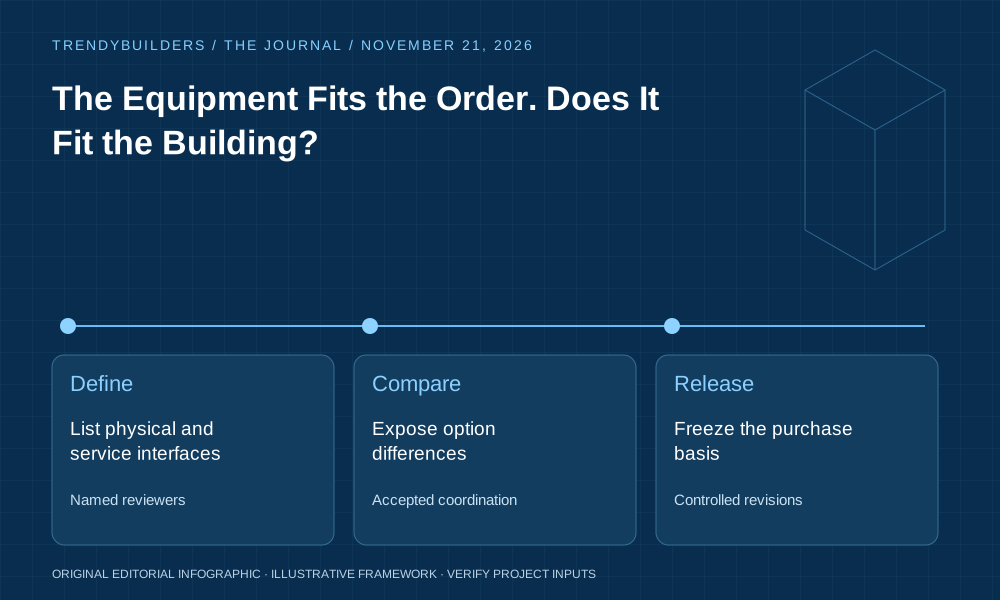
Use this table as a meeting prompt alongside the explanation above. It summarizes the evidence chain; it does not establish technical acceptance or replace the responsible project process. Numerical examples in this article are illustrative and contain no live supplier rates.
| Stage | Action | Evidence |
|---|---|---|
| Define | List physical and service interfaces | Named reviewers |
| Compare | Expose option differences | Accepted coordination |
| Release | Freeze the purchase basis | Controlled revisions |
Apply the method in TrendyBuilders
Open Drawing revision comparison and read the supporting workflow guide before entering project information. Use a reviewed project copy, confirm the measurement units and source revisions, and inspect warnings and exclusions before relying on any output. The calculations depend on the information supplied; selecting a tool does not validate the underlying technical or commercial assumptions.
Keep the accepted project documents and required approvals linked to the planning record. Export the assumptions with a dated result so another reviewer can reproduce the comparison. Where the workflow reveals a missing input or a decision outside the tool's scope, assign that issue to the responsible person rather than treating a blank field as evidence of zero exposure.
Sources and further reading
US Department of Energy: Commissioning process. This primary-source reference provides relevant background in its own stated scope and jurisdiction. It does not endorse this article or TrendyBuilders. Reference checked November 18, 2026. The worked examples and operating recommendations are original editorial analysis; they are not reported project outcomes, quotations or professional certification.
Related reading
- The Cheapest Material Is the Material You Do Not Waste
- A Profitable Project Can Still Run Out of Cash
- Small Contractors Need Better Decisions, Not More Software
Use the moderated discussion to share the decision you are trying to make and the assumptions that matter. Omit confidential drawings, supplier prices and personal information.
The conversation
Constructive, relevant discussion is welcome. Comments are moderated. You may edit your own comment for one hour after its original submission; administrators can edit at any time.
Be the first to contribute a thoughtful comment.